

Style Checker
Overview
The Style Checker allows retrieving detailed information about a specific article down to the variation level, providing insights into how products are processed within the search system.
Executing the Checker
- Enter the style ID in the input field.
- Article number can be used as a fallback.
- Variation SKU is also supported (recent feature in iPIM).
- Click “Search Style” to fetch article details.
- If the style ID exists, all associated information of the corresponding style will be displayed — even when a variation SKU is used.
- If the article is not found, an error message will appear.
Fields, Buttons, and Information
Article Information (Style Level)
| Field/Button | Description |
|---|---|
| Style | Short description of the article. |
| Style SKU | Article number of the product. |
 | Reprocess the product message as if a new update has been received. Useful after bug fixes. |
 | Displays the raw product message when clicked. Before:  After: After: 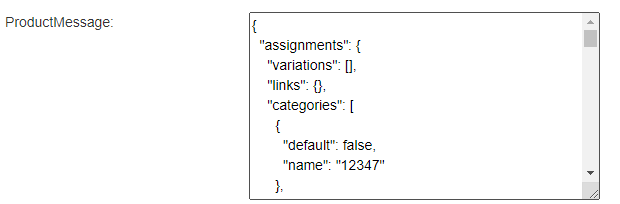 |
| Processing-date of Upsert Message | Timestamp of the last update message processing. |
| Update-Date from the Message | Last modification date in the PIM. |
| Processing-Date of Delete Message | Timestamp of the last deletion message processing. |
| Update-Date from Delete Message | Deletion timestamp from the AY-Backbone. |
 | Delete or mark an article (or list of articles) as deleted. Generates deletion messages and sends them to Kafka for all connected systems. |
| RuleEngine-Values for Variation-Sorting | Values from the rule engine database used to sort variations, determining the display order of color swatches. |
| Style ArtNo | Displays all variation article numbers associated with this style. |
| Last Update | Last recorded update timestamp. Should match the above update timestamp. |
| URI | URL path of the product detail page in the shop. |
| Style Availability | Overall availability of the product (average across variations): 1.0 = Available 0.1 = Backorder 0.0 = Sold out |
| Style isDeleted | Indicates if the article is marked as deleted. |
| Style isHiddenForSearch | If true, the article is excluded from search results. |
| Style minPrice | Lowest price across all variations, used for “Starting at” price display. |
| Style oldMinPrice | Previous lowest price, if the product was discounted. |
| Brand | The brand of the article. |
| Product Group | The product group. Can be expanded via product group taxonomy. |
| Ranking Score | Default ranking score for sorting in product lists. Used as fallback when RuleEngine sorting fails or is inactive. |
| Attributes | Additional attributes, often tenant-specific for special functionalities. |
| DisplayData-Attributes | Additional attributes used only for display purposes, not for search processing. |
| Flags | Special product flags (e.g., FSC Certification). |
| Long Description | The detailed product description, as displayed on the product detail page. |
| Style Search String | Product information stored in the search index. |
| Style Search String Groups | The same search index information, but grouped for easier interpretation. Example: - "brand (0.0)": No point deduction if a search term matches the brand. - "filterValues (8.0)": 8-point penalty if a search term matches a filter value. |
| Style Filter IDs | Filter values for the product. Hovering over the value displays a text tooltip. 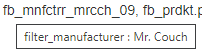 |
| MKZ (Market Identifier) | Assigned market identifier (if applicable). Also indicates whether product images are in portrait format (true/false). |
Example of Style Attributes
{ "styleNo": "211NIKITAPEOTM", "UrlSlug": "nova-via-ecksofa", "ratingCount": "39", "onlineDate": "2020-05-30", "avgRatingFiltered": "4.04", "ratingCountFiltered": "25", "Represent-b-2": "70351256", "Represent-b-3": "13821814", "avgRating": "4.05", "Represent-prank": "30054534", "Represent-b-1": "82119915", "Represent-b-6": "30089426", "mkz": 809, "productType": "Corner Sofa"}