

CMS Introduction
What is the empiriecom Suite CMS?
The empiriecom Suite CMS is a web-based, headless content management system designed specifically for the needs of e-commerce webshops. It enables authors and editors to create, manage, and publish content without requiring technical expertise.
Content creation is fully web-based and built on user-friendly templates that were developed in close collaboration with content authors without a technical background. By separating the content layer from the presentation layer, content can be flexibly prepared for different output channels such as web, mobile, apps, or smart devices.
Who is the CMS for?
- Editors who create, manage, and structure content for webshops
- Shop managers who schedule content or restrict it to specific customer segments
What makes it different from “classic” Drupal?
- Predefined layout paragraphs tailored to e-commerce use cases
- Headless architecture for high-performance content delivery
- Simplified, role-based user interface for editors and shop managers
- Focus on fast and efficient content creation and maintenance
- Integration with CRM or personalization systems for channel-optimized, personalized content
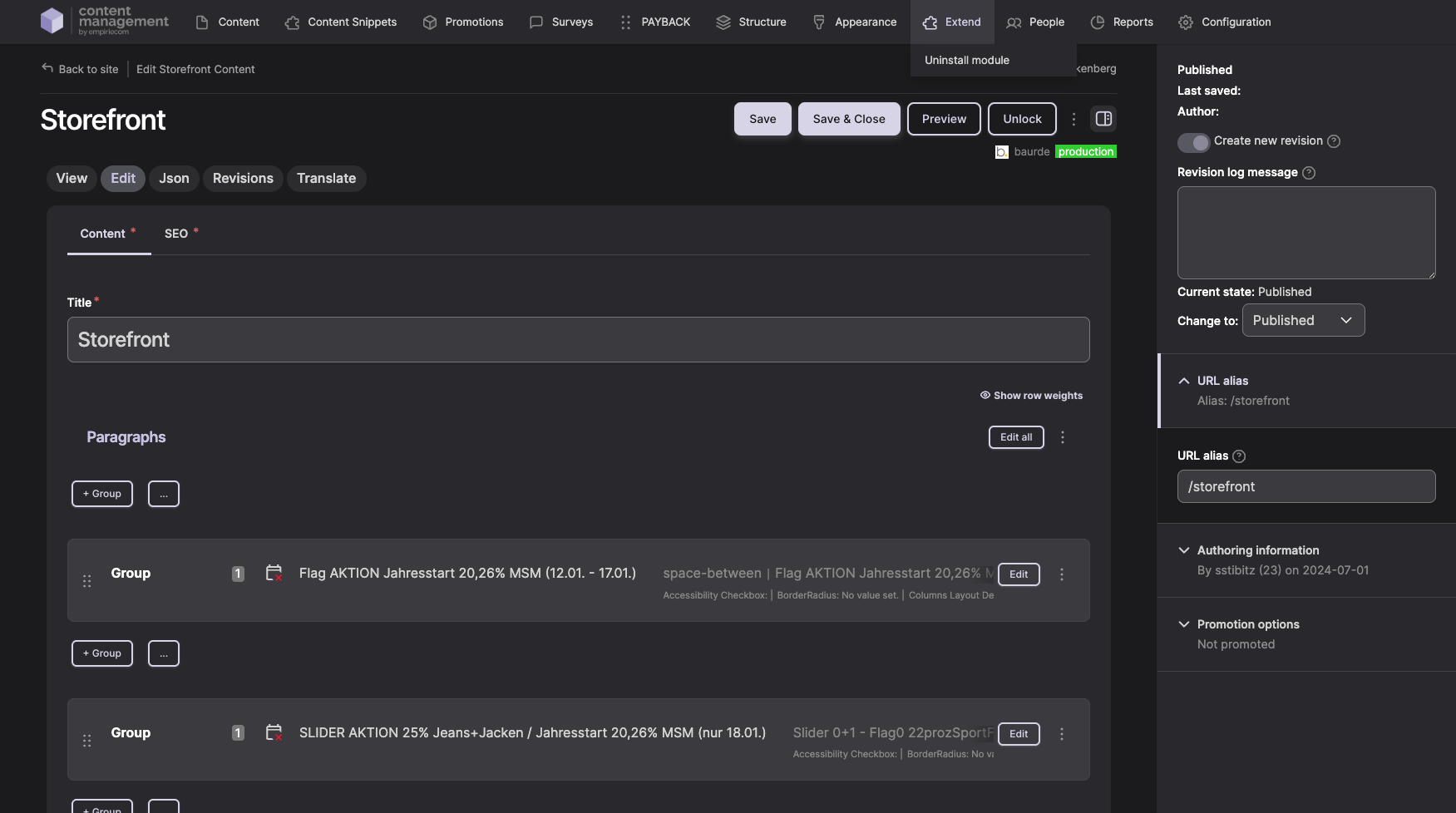
The Role of the CMS in the Webshop
The CMS serves as the central system for managing and delivering content to the webshop. Thanks to its headless architecture, content is not rendered directly in the CMS but delivered to the frontend, which handles presentation and performance.
CMS ↔ Frontend interaction
- Editors maintain content in the CMS
- The CMS provides structured content data
- The frontend renders the content and ensures optimal performance
Why performance matters
- Fast loading times improve user experience and conversion rates
- Content is maintained once in the CMS and efficiently delivered via the frontend
- Optimized layout paragraphs and clear content structures help avoid performance issues
Who Is This Documentation For?
This documentation is intended for editors and shop managers who create, manage, schedule, or restrict content for landing pages, start pages, or promotional pages within a webshop.
What is covered
- Creating and editing pages
- Using paragraphs to build page layouts
- Scheduling content and restricting it to specific customer segments
What is not covered
- Technical installation or system configuration
- Drupal-specific system internals
- Staging or testing environments
- Release and update processes