

Paragraph Accordion
An accordion is a UI element for space-saving presentation of content. It is used to structure longer or explanatory content so that users can expand only the information relevant to them. Typical use cases include FAQs or supplementary information texts. Key features are expandable and collapsible content areas with clear headings, easy operation via click or tap, and responsive, accessible behavior.
General Information
- The “Accordion” paragraph is used for structured organization of content on CMS pages.
- For new pages, only “Accordion - Localizable” should be used, especially for multilingual websites.
- Nesting “Accordion” and “Accordion - Localizable” within a page is not permitted.
Functionality and Fields
| Field | Description |
|---|---|
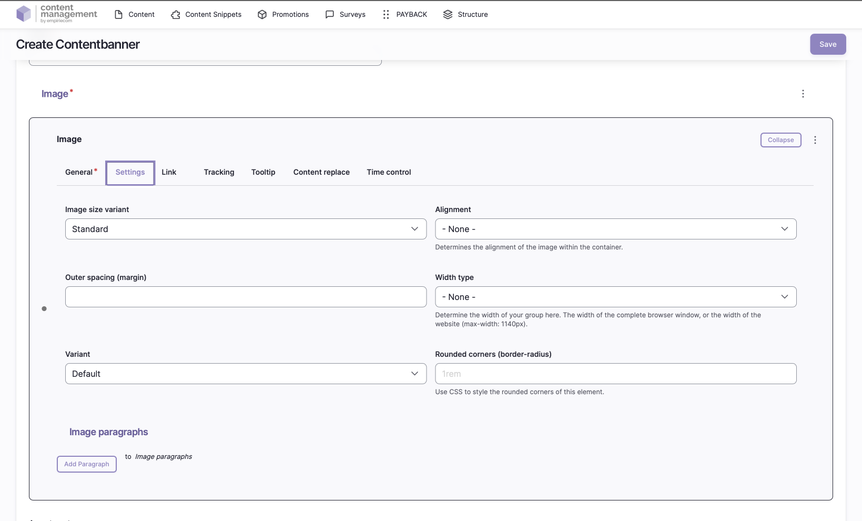
Title | Name/label of the accordion section – only for better overview in edit mode, not visible in the shop. |
Outer Spacing | Margin values in HTML notation (e.g., 2rem 0), controls the outer spacing of the accordion. |
Accordion Content | Content of an accordion section: headline plus text (via HTML editor, “Basic HTML” format). |
Spacing Type | none, page width, page width with spacing (mobile), window width. |
Alignment | Standard, left, center, right. |
Vertical Alignment | None, top, bottom, stretched, middle. |
Link | Optional: linking, target window (_self, _blank), bonus number, anchor, highlight, search filter. |
Tracking | Optional: campaign and category tracking, detail fields. |
Tooltip | Optional: activate tooltip, position and content (promotion or snippet). |
Personalization | Optional: display for specific user groups (e.g., logged-in users, bonus program, credit affinity). |
Accessibility | Optional: skip link for improved accessibility via keyboard/screen reader. |
Time Control | Optional: control visibility of the accordion by time (from/to). |
Operation and Editing
- Accordion sections can be added, removed, duplicated, or inserted above.
- With “Add Paragraph,” another accordion area can be created.
- Accordion sections can be saved to the library for reuse.
Accessibility
- Support for skip links, allowing users with keyboard or screen reader to jump directly to accordion content.
- Clear headings and structured content support accessibility.