

Paragraph Text Link
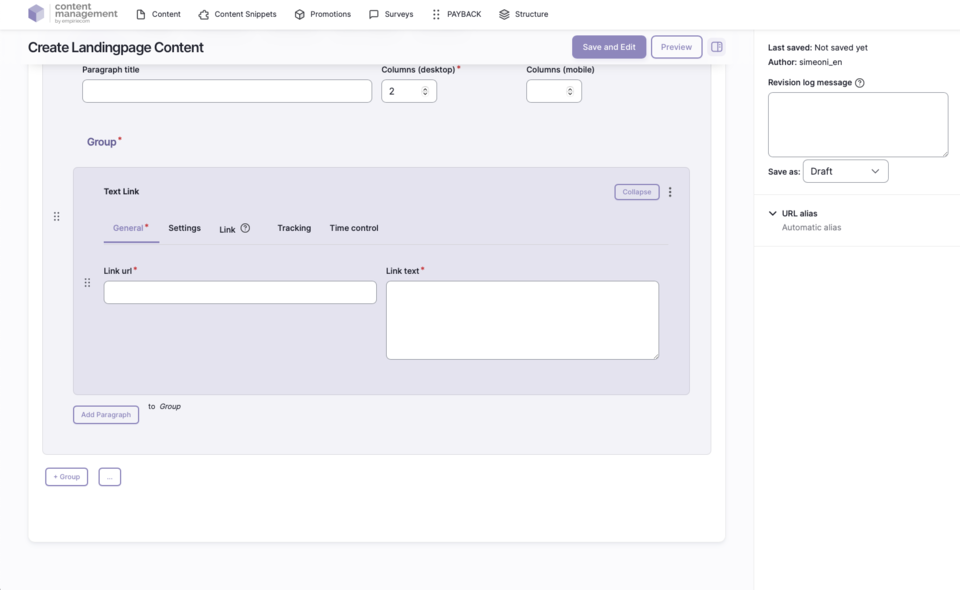
The “Text Link” paragraph allows editors to insert a linked text with various configuration options into pages. Optionally, a symbol (e.g., arrow) can be added and its position defined. The Text Link is suitable for all use cases where a single text should be highlighted as a link, such as for navigation elements, teasers, or call-to-action.
Features & Benefits
- Linked text with freely selectable link target
- Optional symbol (e.g., arrow left or right)
- Flexible placement of the symbol (top, bottom, right, left)
- Extensive link and tracking options
- Tooltip function for additional hints
- Personalization and accessibility options
Backend Configuration
Steps
- Create ContentType.
- Insert the “Text Link” paragraph.
- Configure link text, link target, and optionally the symbol.
Settings & Fields
| Field | Description |
|---|---|
Link text | The text to be linked |
Link | URL or internal path the link points to (e.g., https://www.baur.de/damenmode/ or /damenmode/) |
Symbol | Optional: Selectable symbol, such as arrow left or right |
Icon Placement | Position of the symbol: top, right, bottom, left |