

CS Servicelayer
The “Servicelayer” content snippet is used to display additional service information in a modal box on the product information page. It can be shown for specific articles or entire product groups and supplements the product presentation with relevant additional details. Typical contents include information on delivery costs, size specifications, energy requirements, or other context-dependent data. The contents are centrally managed in the CMS as independent content snippets and linked to the corresponding product data via a unique ID.
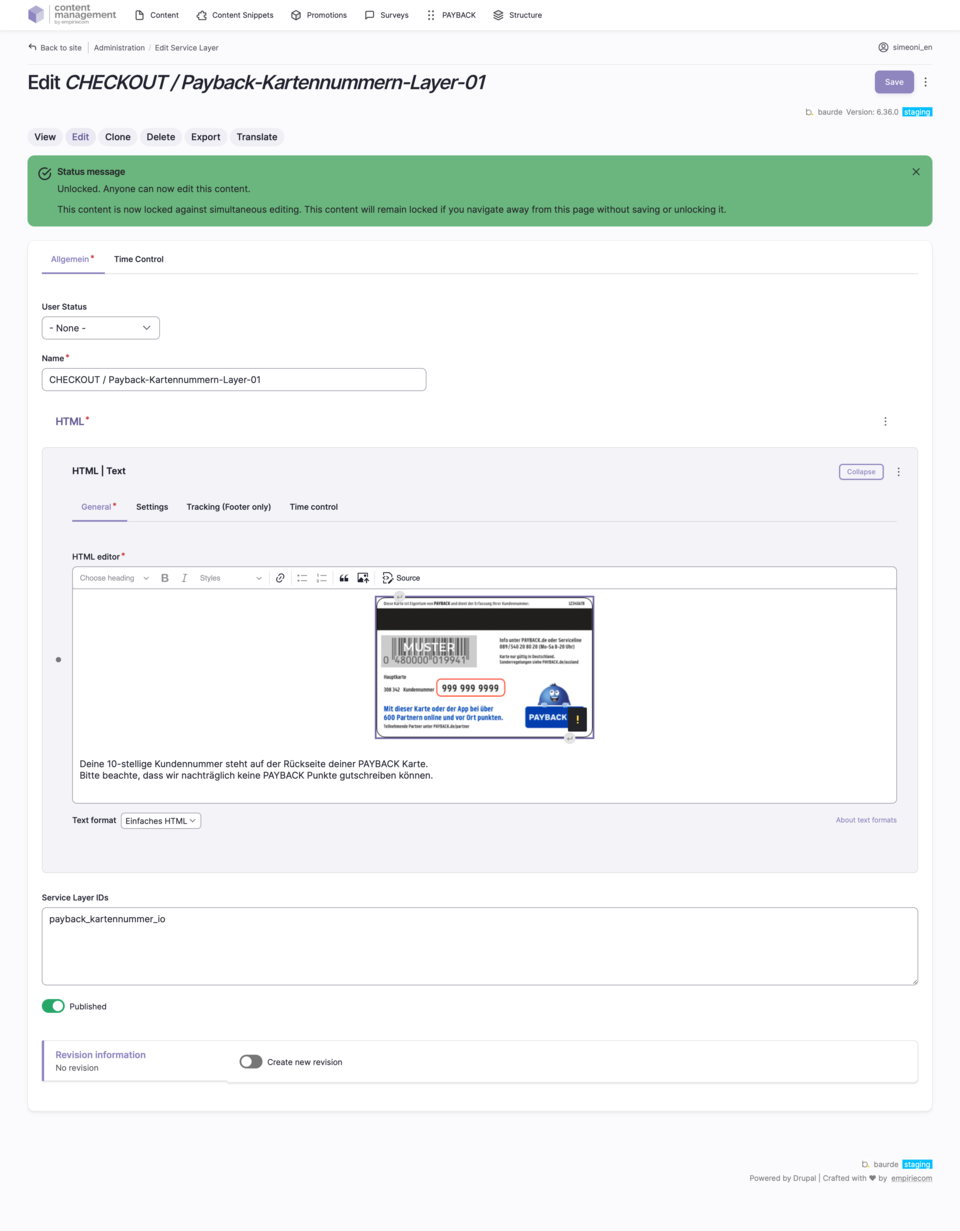
Use cases for the Servicelayer snippet
- Display of service information in a modal box on product detail pages (PDP)
- Delivery for individual articles or entire product groups
- Typical contents: delivery costs, size specifications, energy requirements, other product-specific notes
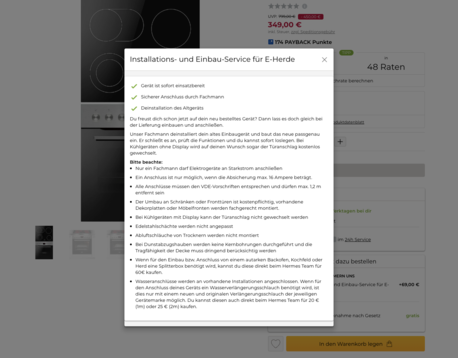
Management and creation of the Servicelayer snippet
- Creation and maintenance centrally in the CMS as its own content snippet
- Linking to product data via a unique ID (“tag” in Drupal)
- Overview of all Servicelayer snippets in the section “Content → Content Snippet Bundle”
- New snippets can be created via “Add Content Snippet” and selection of “Service-Layer (DV)”
- Existing Servicelayer snippets can be cloned to quickly create new variants
Fields to fill in when creating a Servicelayer snippet
| Field | Description |
|---|---|
Name | Name of the content snippet (naming convention recommended depending on the client) |
HTML (Text) | Content of the snippet in basic HTML format: lists, paragraphs, formatting with styles (e.g., green checkmark) |
Service Layer IDs | Unique ID(s) – separate multiple IDs with a comma |
Status | Published = online, Unpublished = offline |
Start Date | Start of validity |
End Date | End of validity |
Author | Username of the creator |
Translation Language | German, English, French |
Action Links | Edit, Clone, Translate, Delete |
Modification Date | Last edit/change |